The Microlife BodyGem and MedGem indirect calorimetry devices measure your clients Resting Metabolic Rate, to optimize their weight loss results.
Welcome to the instructional video for the MedGem system by Microlife. The same instructions also apply to the BodyGem indirect calorimeter.
MedGem is a handheld indirect calorimeter that is your go-to solution for accurately measuring resting VO2 to determine your client’s Resting Metabolic Rate (RMR).
Accurate RMR and VO2 measurements serve as an ideal basis for nutritional assessment and weight management goals. This innovative device is designed to streamline nutritional monitoring in a range of healthcare settings, offering you a more accurate and reliable alternative to traditional estimation methods. If using the BodyGem system this device will only display RMR.
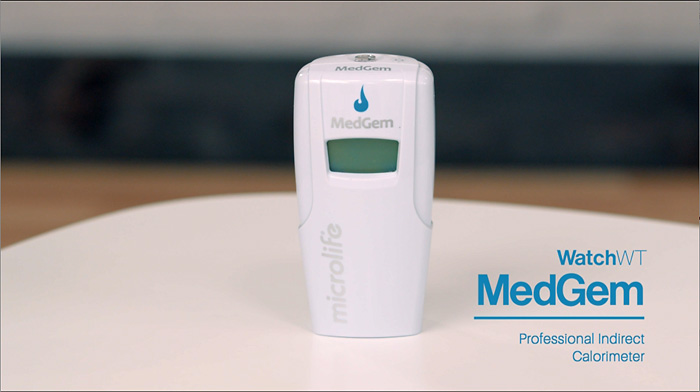
The MedGem and BodyGem system kits come with the following components: a DC power supply, 21 single-use mouthpieces and nose clips to prevent breathing through the nose and a USB drive with the Analyzer software.
Let’s get started with the setup.
First connect the power supply to your MedGem device by inserting the small plug into the DC power in jack on the side of the MedGem device.
Then plug the power supply into any standard wall outlet. The MedGem will beep once. Next the indicator light on top of the unit will briefly show red and then cycle to amber when ready for calibration.
Insert the single-use mouthpiece into the flow tube on the back of the device. Ensure they fit snugly to prevent any air leakage.
The top of the flow tube should be flush with the MedGem device. This is essential for the accuracy of the measurement.
Place the MedGem device upright on a flat surface, away from air vents or fans. It is very important to leave the MedGem device sitting upright on a flat surface throughout the self-calibration period.
Initiating the MedGem indirect calorimeter measurement.
Press the button on top and the amber indicator light will begin to flash. The MedGem device will buzz softly, indicating the self-test has begun. This typically takes up to 30 seconds. When the MedGem device is ready to begin a measurement, the indicator light will flash green and the MedGem device will beep once.
Begin the measurement within one minute from the time the indicator light begins flashing green. When you’re ready to use the device, ensure that the patient is relaxed in a comfortable seated or reclined position and has not consumed food, stimulants, or has exercised for at least four hours.
To begin this measurement, process place the nose clip on the patient’s nose to close the nostrils, position the mouth piece inside the patient’s mouth and make sure the patient maintains a good seal around the mouthpiece.
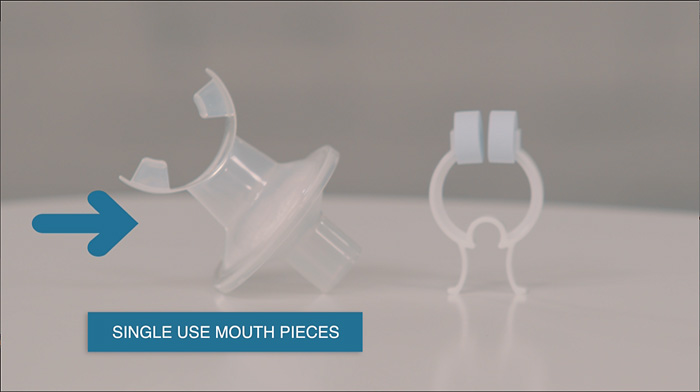
Ensure that your patient has been instructed not to move during the measurement as they will need to hold the MedGem device during the measurement. To hold the MedGem device place your hand on the front of the unit, not on the base where gas flow will be interrupted and the measurement will be interrupted. Be careful not to dislodge the power cord during measurement as this will discontinue the process.
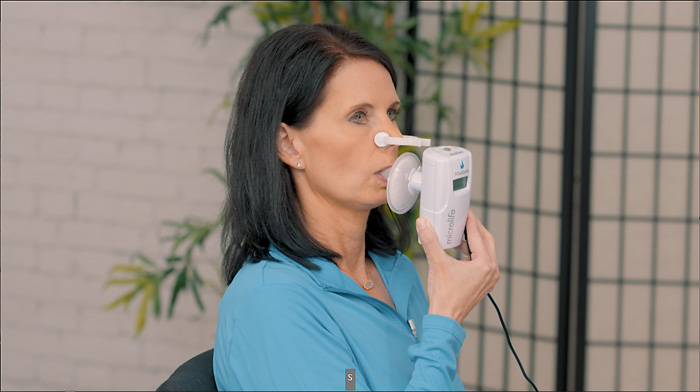
Make sure the patient is comfortable and the device remains stationary to avoid any measurement errors. Patients who are in a non-rested state should rest for approximately 10 to 15 minutes before the measurement to allow the body to stabilize.
To make this as easy as possible, have the patient support their arm on the arm rest of the chair, a table or with the opposite hand. The indicator light will change to a non-flashing green during the measurement and the med gem device will buzz softly throughout the 5-10 minute measurement period.
Measurement time will vary as the time needed to reach a steady state of breathing is patient specific. Once the measurement is complete, the MedGem device will beep and the indicator light will change back to amber, signaling the end of the measurement.
When the MedGem measurement is complete.
Provide the patient with a paper towel or tissue, as the mouthpiece may cause increased salivation. Don’t forget to safely dispose of the single used mouthpiece and nose clip afterward.
You can then review the RMR and VO2 readings directly on the device’s display with your patient. These readings will alternate every two seconds until the MedGem device is disconnected from the power source or the start button on the top of the MedGem device is pushed.
The device will retain measurement results until a new measurement is begun. The MedGem Analyzer software is available for download via the Microlife website and via the USB drive included in the system kit.
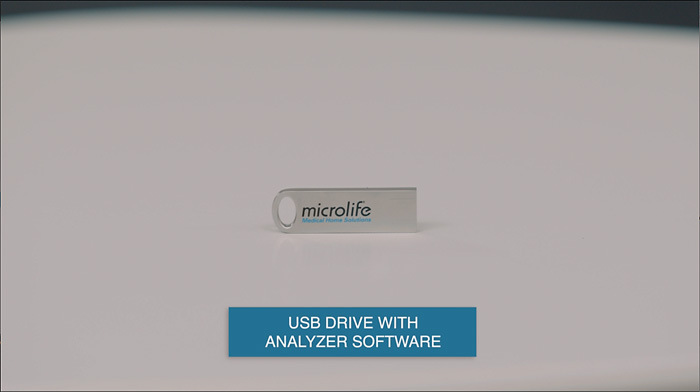
Using the Analyzer software.
Once the software is installed, click on plus client and then enter the patient’s details. Then click on plus add and this will allow you to enter the patient’s readings.
Click save and this will take you to the patient profile where you will input additional patient information and goals including macro nutrient percentages.

The MedGem Analyzer software helps you to formulate tailored nutritional plans for effective health management of each patient.
Errors when conducting a measurement.
If there is a problem with the MedGem device, the following will occur. The indicator light on the top of the MedGem device will turn red. An error beep tone of four low-frequency beeps will be heard.
An error code will be displayed in the MedGem LCD window. Then use the error code and solution table to remedy the problem in the user manual.
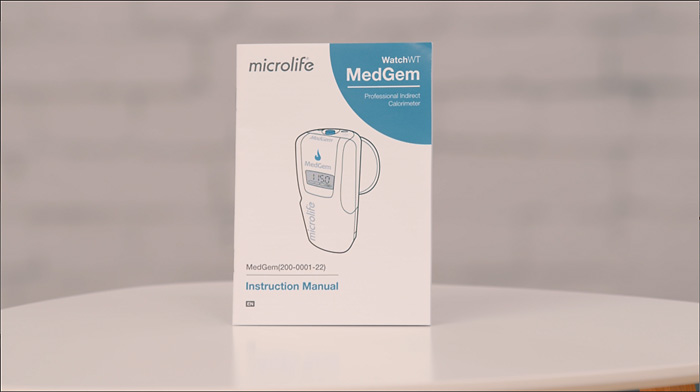
Once the problem has been identified, unplug the MedGem device from the power supply to erase the error code. Reconnect the power supply to turn the MedGem device on and refer to begin the measurement to restart.
If an error message persists, contact your customer support team.
To maintain your MedGem device, regular cleaning with recommended materials is essential for its longevity.
Do not submit. the device in water or allow any solution to penetrate the display window, sockets or openings in the product. Do not expose the device O2 sensors to direct sunlight or UV light.
The O2 sensors are located behind the flow tube and are exposed when the flow tube is removed. Protect the MedGem device from extreme temperatures and avoid exposure to moisture that can cause damage to internal components.
Use only Microlife supplied mouthpieces, accessories, power supplies and replacement parts. To protect the sensors inside the MedGem device, it is recommended that you leave the MedGem device standing upright between uses. You can store it in its case when it’s not in use.
Thank you for choosing MedGem by Microlife, where we are committed to providing you with the tools you need to deliver the best in -patient care.
Get more information on the BodyGem and MedGem indirect calorimeters
Call me directly at 720-431-1461 or send me an email to get your questions answered.
I wish you the best of health!
David Wilcoxson